This article is machine-translated.
Discovered
While using the VSCode terminal, I found that it doesn’t show the icon that should be there, it’s a question mark box! ! image.png When opened in powershell, the normal display should look like this ! image.png I honestly forgot when I configured this thing (why didn’t I fix this before…)
Resolved
Well, I asked ChatGPT about it and it said it was a font mismatch, so I changed the font of the VSCode terminal to match that of the Powershell terminal.
- First open the terminal json
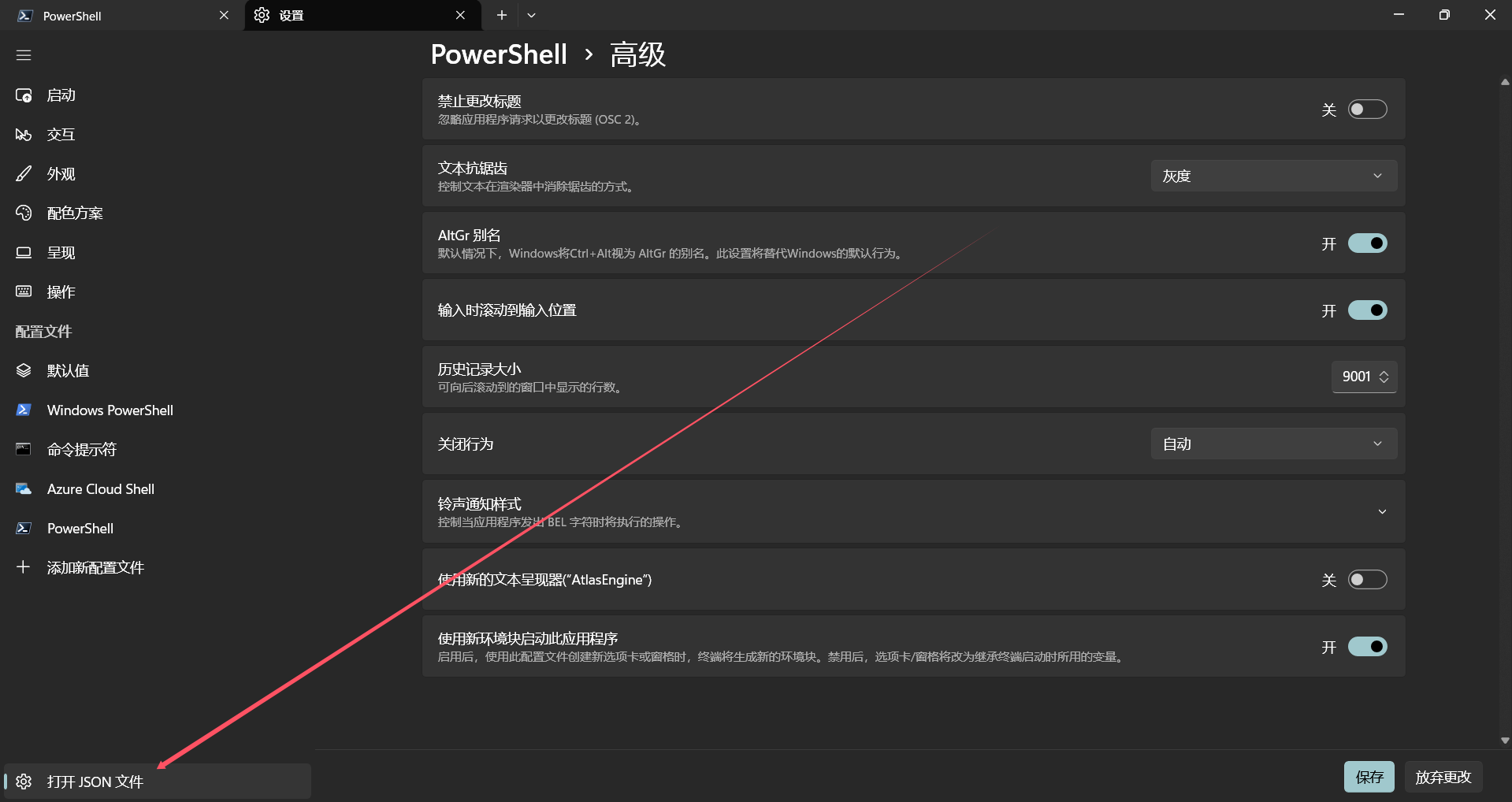
- Then search for “Font”.
! image.png Copy font name
- Open the VSCode settings and search for “terminal.integrated.fontFamily”. Then open the json ! image.png Fill in the name of the font ! image.png ctrl+s to save, you will see that the terminal has displayed the icon normally! ! image.png
鹰